🎉 14+ Years Anniversary Special! | 50% OFF on All Training Courses | Limited Time Only!
sivasoft@sivasoft.in An ISO 9001:2015 Certified Company
+91 99636 89248 Ameerpet, Hyderabad
Job-Oriented Training, Internship & Placement Support

🎓 Full Stack Python, React, Redux, Next.js, DSA & Generative AI Training Course with Internship – 100% Job Placement-Oriented

Master Full Stack Python with Generative AI, DSA, React, Redux, Next.js, HTML5, CSS3, JavaScript, Bootstrap, and REST APIs. Gain hands-on experience through real-world projects, AI-powered coding tools (ChatGPT, GitHub Copilot, and Cursor), internship opportunities, and job-oriented training with placement support.

Duration 6 Months
Training Mode Classroom & Live Online
Trainers Mr. Siva(15+Yrs) • Mr. Sharif(12+Yrs) • Mr. Mani(12+Yrs)
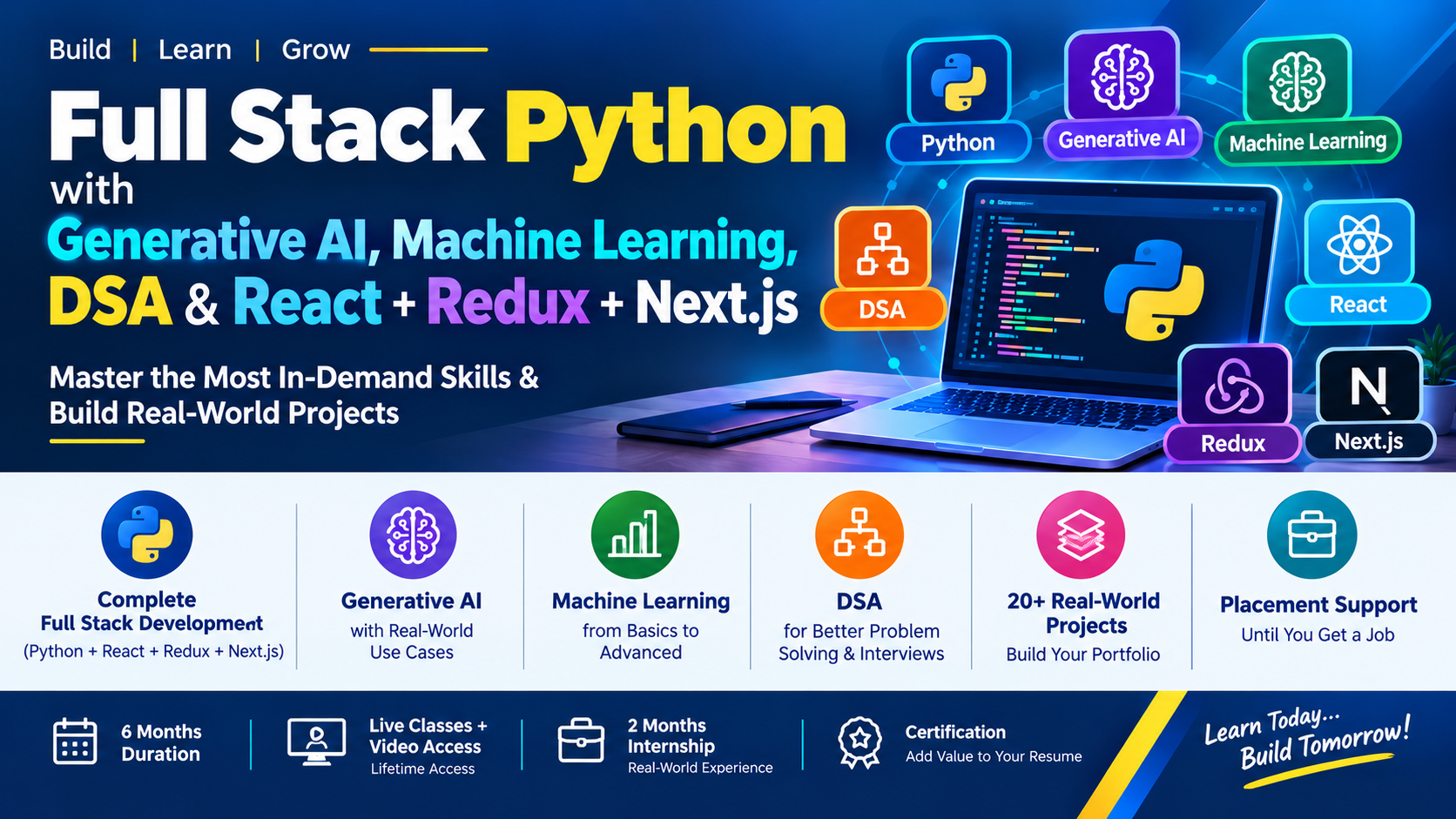
Online Full Stack Python, React, DSA & Generative AI Training Course in Ameerpet, Hyderabad, India
Fee Structure & Limited Offers: 6 Months
Note for Students: The Complete Course Syllabus & Certificate are identical across all options. Only the batch mode and pricing differ.
Group Online Fee You Save ₹15,000
₹15,000 ₹30,000
Classroom Fee You Save ₹25,000
₹25,000 ₹50,000
One-to-One Online You Save ₹75,000
₹75,000 ₹1,50,000

Share Course:

Accredited & Recognized Excellence

MCA Government of India Logo
ISO 9001:2015 Certification Logo
MCA Government of India Logo
ISO 9001:2015 Certification Logo

Program Key Benefits

Master Skills: Industry-relevant skills with hands-on training from top corporate professionals.
Eligibility: Open to Any Graduates and individuals with Career Gaps.
Expert Trainers: Led by Mr. Siva(15+Yrs) • Mr. Sharif(12+Yrs) • Mr. Mani(12+Yrs), successfully completing 50+ batches.
Program Duration: Comprehensive 6 Months training schedule.
Lifetime Live Classes & Video Access: Lifetime access to live classes and recorded videos for learning, revision, and practice.
Doubt Clarification: Support via Live Classes, WhatsApp, and LMS.
Assessments: Regular Interview Questions and Code Assessments included.
Career Support: Resume Preparation, LinkedIn Profile Creation, and Portfolio Website Development.
Certificates: Free Training Completion Certificate (Soft Copy) provided.
Industry Terms & Tips: Coverage of Agile, Scrum, DevOps, Monitoring, and corporate career success strategies.
One-on-One Demo: Get Personalized Training & Clarifications before getting started.

Tools & Technologies Covered

Core Python Advanced Python Data Structures & Algorithms (DSA) NumPy / Pandas / Matplotlib (Data Scientist / Data Analyst) SQL (MySQL) NoSQL (MongoDB) Django / Flask CRUD (Create, Read, Update, Delete) RESTful APIs to fetch, send, and manipulate data from the server Fast API User Authentication (Login / Logout) and Authorization 🔐 Authentication & Security Fundamentals of Web Technology HTML & HTML5 XHTML CSS, CSS3 & CSS4 Basic & Advanced JavaScript Async / Await, AJAX & JSON Bootstrap & Tailwind CSS Social Media Integrations SEO & Google Analytics Responsive Web Projects Domain Registration & Web Hosting ECMAScript TypeScript SASS / SCSS React (JSX & TSX) Material UI Redux Jest Next.js Figma CRUD (Create, Read, Update, Delete) RESTful APIs – Fetching, Sending & Manipulating Data Developer Tools & Debugging Postman 🤖 Learn Smarter and Build Faster with Generative AI Tools like ChatGPT, Gemini & Copilot. 🚀 Sharpen Your Skills with Real-World Coding Practice on HackerRank, LeetCode & CodeChef Deployment Internship at SivaSoft

Backend Development:

  • Introduction to Programming and Python
  • History, Features, Advantages, and Applications of Python
  • Python vs. Other Programming Languages
  • Installing Python and Setting Up the Environment
  • Python Interpreter and Execution Process
  • Python Interactive Mode and Script Mode
  • IDEs: IDLE, VS Code, and PyCharm
  • Writing and Executing the First Python Program

  • Variables, Keywords, and Identifiers
  • Naming Conventions and Comments
  • Literals and Types of Literals
  • Numeric, String, Boolean, and None Literals
  • Collection Literals: List, Tuple, Set, and Dictionary
  • Python Built-in Data Types
  • Type Checking Using type() and Object Identity Using id()
  • Type Conversion and Type Casting
  • Built-in Conversion Functions: int(), float(), str(), bool()
  • Collection Conversions: list(), tuple(), set(), and dict()
  • User Input Using input()
  • Output Using print() and Parameters sep and end
  • String Formatting: f-strings, format(), and % Formatting
  • Multiple Assignment and Variable Unpacking
  • Comments, Indentation, and Basic Python Syntax

  • Arithmetic Operators
  • Comparison and Logical Operators
  • Assignment and Compound Assignment Operators
  • Bitwise Operators
  • Membership Operators: in and not in
  • Identity Operators: is and is not
  • Difference Between == and is
  • Operator Precedence and Associativity
  • Practical Programs Using Python Operators

  • Introduction to Decision-Making
  • if Statement
  • if-else Statement
  • if-elif-else Statement
  • Nested if Statements
  • Conditional Expressions (Ternary Operator)
  • match-case Statement (Python 3.10+)
  • Truth Values and Conditions
  • Real-Time Decision-Making Programs

  • Introduction to Iteration and Loops
  • while Loop and for Loop
  • range() Function and Its Variations
  • Nested Loops
  • break, continue, and pass Statements
  • else with for and while Loops
  • Loop Control and Infinite Loops
  • Pattern Programming
  • Number and Sequence-Based Programs
  • Real-Time Loop Examples

  • String Creation and String Literals
  • Indexing, Negative Indexing, and Slicing
  • String Immutability and String Operators
  • String Concatenation and Repetition
  • String Searching Methods: find(), rfind(), index(), rindex()
  • Case Conversion Methods: upper(), lower(), title(), capitalize(), swapcase()
  • String Validation Methods: isalpha(), isdigit(), isalnum(), isspace(), islower(), isupper()
  • String Cleaning Methods: strip(), lstrip(), rstrip()
  • String Replacement and Translation Methods
  • String Splitting and Joining: split(), rsplit(), splitlines(), join()
  • String Partitioning: partition() and rpartition()
  • String Prefix and Suffix Checking: startswith() and endswith()
  • String Formatting: format(), format_map(), and f-strings
  • String Alignment: center(), ljust(), and rjust()
  • Raw Strings and Escape Sequences
  • String Validation, Manipulation, and Processing Programs

  • Introduction to Python Collections
  • Lists: Creation, Indexing, Slicing, and Methods
  • List Operations: append(), extend(), insert(), remove(), pop(), clear()
  • List Searching and Sorting: index(), count(), sort(), reverse()
  • List Copying and Nested Lists
  • List Comprehensions and Conditional Comprehensions
  • Tuples: Creation, Indexing, Slicing, Packing, and Unpacking
  • Tuple Methods: count() and index()
  • Sets: Creation, Uniqueness, and Set Operations
  • Set Methods and Mathematical Set Operations
  • Frozensets: Concepts and Operations
  • Dictionaries: Keys, Values, Items, and Methods
  • Dictionary Methods: get(), update(), pop(), setdefault(), and items()
  • Dictionary Iteration and Dictionary Comprehensions
  • Nested Collections and Collection Unpacking
  • Mutable vs. Immutable Objects
  • Collection Conversion and Common Collection Operations

  • Introduction to Functions and Modular Programming
  • Defining and Calling Functions Using def
  • Parameters, Arguments, and Function Calls
  • Positional, Keyword, and Default Arguments
  • Variable-Length Arguments: *args and **kwargs
  • Return Statements and Returning Multiple Values
  • Local and Global Variables
  • Variable Scope and the LEGB Rule
  • Lambda Functions
  • Recursive Functions and Recursion Examples
  • map(), filter(), and reduce() Functions
  • Docstrings and Function Annotations
  • Function Documentation Using __doc__ and help()
  • Practical and Real-Time Function Examples

  • Introduction to Modules and Packages
  • Built-in and User-Defined Modules
  • Importing Modules Using import and from...import
  • Aliases Using as
  • math Module: Mathematical Functions and Constants
  • random Module: Random Numbers, choice(), choices(), sample(), and shuffle()
  • time Module: Time Values, sleep(), and Basic Time Operations
  • datetime Module: date, time, datetime, and timedelta
  • Date and Time Formatting, Parsing, Comparison, and Calculations
  • Creating Custom Modules and Package Structures
  • __name__ == "__main__" and Script Execution
  • Installing and Managing Packages Using pip
  • Reusing Code Through Modules and Packages

  • Introduction to Errors and Exceptions
  • Syntax Errors vs. Runtime Exceptions
  • Common Python Exceptions: ValueError, TypeError, NameError, IndexError, KeyError, ZeroDivisionError
  • try and except Blocks
  • Handling Specific and Multiple Exceptions
  • else and finally Blocks
  • Raising Exceptions Using raise
  • Custom Exception Classes: Introduction
  • Exception Handling in Real-Time Programs

  • Introduction to File Handling
  • Opening Files Using open()
  • File Modes: r, w, a, x, b, and +
  • Reading Files Using read(), readline(), and readlines()
  • Writing and Appending Data to Text Files
  • File Object Methods: write(), writelines(), seek(), and tell()
  • Using the with Statement for Safe File Handling
  • CSV File Handling Using the csv Module
  • JSON File Handling Using the json Module
  • File and Directory Operations
  • Handling File-Related Exceptions

  • Common Built-in Functions: len(), type(), id(), and help()
  • Numeric Functions: abs(), round(), pow(), sum(), min(), and max()
  • Sorting and Reversing: sorted() and reversed()
  • Boolean Testing Functions: any() and all()
  • Iteration Helpers: enumerate() and zip()
  • Object and Sequence Functions: isinstance(), range(), and slice()
  • Practical Examples Using Built-in Functions

  • Nested Functions and Enclosing Scope
  • First-Class Functions and Functions as Objects
  • Passing Functions as Arguments
  • Higher-Order Functions
  • Returning Functions from Other Functions
  • Closures and Variable Scope
  • Decorators and @ Decorator Syntax
  • Practical Applications of Function Composition and Reuse

  • Introduction to Regular Expressions and the re Module
  • Regex Patterns and Raw Strings
  • Pattern Matching Using match(), search(), and fullmatch()
  • Finding Matches Using findall() and finditer()
  • Text Replacement Using sub() and subn()
  • Splitting Text Using split()
  • Special Sequences: \d, \D, \s, \S, \w, and \W
  • Word Boundaries and Anchors: \b, \B, \A, and \Z
  • Character Sets, Ranges, and Negation
  • Quantifiers, Groups, and Alternation
  • Positive and Negative Lookaheads
  • Password Validation Using Regular Expressions
  • Email, Phone Number, and Text Validation Examples

  • Classes, Objects, and Constructors (__init__)
  • Instance, Class, and Static Methods
  • Encapsulation, Inheritance, and Polymorphism
  • Method Overriding, Abstraction, and Abstract Classes
  • Magic or Dunder Methods

  • First-Class Functions and Nested Functions
  • Closures and Function Decorators
  • Decorators with Arguments & Multiple Decorators
  • Practical Logging and Timing Examples

  • Iterables vs. Iterators (iter() and next())
  • Creating Custom Iterators
  • Generator Functions and the yield Keyword
  • Generator Expressions & Lazy Evaluation

  • Patterns, Metacharacters, and Character Classes
  • match(), search(), findall(), and sub() functions
  • Groups, Lookaheads, Lookbehinds, and Word Boundaries
  • Email, Phone Number, and Password Validation

  • Comprehensions (List, Set, Dictionary)
  • Shallow Copy vs. Deep Copy
  • Context Managers, enumerate(), and zip()
  • Working with collections, itertools, and Type Hints

  • Introduction to Data Structures and Algorithms
  • Linear vs. Non-Linear Data Structures
  • Time and Space Complexity Analysis & Big O Notation

  • Linear Search & Binary Search
  • Searching in Sorted Collections & Time Complexity Comparison

  • Bubble Sort, Selection Sort, and Insertion Sort
  • Merge Sort and Quick Sort
  • Built-in Sorting and Time Complexity Comparisons

  • Arrays and Python Lists
  • Stacks, Queues, and Circular Queues
  • Singly and Doubly Linked Lists

  • Trees, Binary Trees, and Binary Search Trees (BST)
  • Tree Traversal Techniques & Heaps/Priority Queues
  • Graphs, BFS, and DFS Traversal

  • Recursion, Backtracking, Two-Pointer, and Sliding Window
  • Hashing, Greedy Algorithms, and Dynamic Programming
  • Coding Challenges and Interview Problems

  • What is NumPy? & NumPy Arrays vs. Python Lists
  • Creating 1D and Multidimensional Arrays
  • Array Attributes (shape, size, ndim, dtype)

  • Indexing, Slicing, Reshaping, and Transposing Arrays
  • Joining, Splitting, Copying, and Viewing Arrays
  • Arithmetic Operations, Broadcasting, and ufuncs

  • Mathematical & Statistical Functions (Mean, Median, Std Dev, Variance)
  • Random Number Generation & Basic Matrix Operations
  • Linear Algebra Fundamentals

  • Series and DataFrames Creation
  • DataFrame Attributes, Methods, and Data Inspection

  • Reading and Writing CSV, Excel, and JSON Files
  • Setting and Resetting DataFrame Indexes

  • Using loc[] and iloc[] for Data Selection
  • Filtering, Sorting, Adding, and Renaming Columns
  • Vectorized Operations and Applying Functions

  • Identifying and Handling Missing Values
  • Removing Duplicates and Changing Data Types
  • String Operations and Handling Dates/Times

  • Aggregate Functions and groupby() Operations
  • pivot_table(), Merging, Joining, and Concatenating DataFrames

  • Importance of Visualization in Data Analysis
  • Introduction to pyplot, Figures, and Axes

  • Line, Bar, and Horizontal Bar Charts
  • Scatter Plots, Histograms, Pie Charts, and Box Plots

  • Titles, Axis Labels, Legends, and Grid Lines
  • Colors, Markers, Line Styles, and Annotations
  • Saving Charts as Image Files

  • Subplots, Multiple Axes, and Pandas DataFrame Plotting
  • Visualizing Trends and Handling Dates on Charts

  • Student Marks and Sales Trend Analysis
  • Product Comparisons and Salary Distribution Datasets

Database Fundamentals
  • Introduction to databases and DBMS
  • Database vs. DBMS vs. RDBMS
  • Introduction to SQL and MySQL
  • SQL command categories: DDL, DML, DQL, DCL and TCL
MySQL Setup
  • Installing MySQL Server and MySQL Workbench
  • Creating and selecting databases
  • Understanding tables, rows and columns
  • Executing SQL queries

Data Types and Table Creation
  • Numeric, string, date and time data types
  • CREATE DATABASE and CREATE TABLE
  • Primary key and foreign key
  • AUTO_INCREMENT
Constraints and Table Operations
  • NOT NULL, UNIQUE and DEFAULT
  • CHECK constraints
  • ALTER TABLE and RENAME TABLE
  • DELETE vs. TRUNCATE vs. DROP

CRUD Operations
  • INSERT, SELECT, UPDATE and DELETE
  • SELECT DISTINCT and column aliases
  • WHERE clause
  • Comparison operators
Filtering and Sorting
  • AND, OR and NOT
  • BETWEEN, IN and LIKE
  • IS NULL and IS NOT NULL
  • ORDER BY, LIMIT and SQL comments

Common Functions
  • COUNT, SUM, AVG, MIN and MAX
  • CONCAT, UPPER and LOWER
  • LENGTH and SUBSTRING
  • ROUND, CEIL and FLOOR
Date and Conditional Functions
  • NOW and CURDATE
  • DATE_FORMAT and DATEDIFF
  • IFNULL and COALESCE
  • CASE expressions

  • GROUP BY and HAVING clauses
  • Understanding WHERE vs. HAVING
  • Aggregate functions with grouped data
  • Grouping records by department, category and month
  • Calculating totals, averages and counts
  • Business reporting and summary queries

Types of Joins
  • Understanding table relationships
  • INNER JOIN
  • LEFT JOIN and RIGHT JOIN
  • CROSS JOIN and SELF JOIN
Practical Queries
  • Joining multiple tables
  • Primary key and foreign key relationships
  • Employee and department queries
  • Customers, products and orders queries

  • Single-row and multiple-row subqueries
  • Correlated subqueries
  • IN, EXISTS and NOT EXISTS
  • UNION and UNION ALL
  • Common Table Expressions (CTEs)
  • Introduction to window functions
  • ROW_NUMBER, RANK and DENSE_RANK

  • Database design fundamentals
  • One-to-one, one-to-many and many-to-many relationships
  • Entity Relationship (ER) diagrams
  • Database normalization: 1NF, 2NF and 3NF
  • Designing tables for web applications
  • Maintaining data integrity

Python Database Connectivity
  • Installing a Python MySQL connector
  • Establishing and closing database connections
  • Executing SQL queries from Python
  • Fetching one or multiple records
Database CRUD Operations
  • INSERT, SELECT, UPDATE and DELETE using Python
  • Parameterized queries
  • Handling database exceptions
  • Commit, rollback and transaction basics

  • Configuring MySQL in Django settings
  • Connecting Flask applications to MySQL
  • Introduction to Django ORM
  • Models, fields and database migrations
  • Creating, retrieving, updating and deleting ORM records
  • Saving HTML form data to MySQL
  • Displaying database records on web pages
  • User registration and login data storage
  • Building database-backed web application features

  • Indexes and basic query optimization
  • Understanding EXPLAIN
  • Transactions, COMMIT and ROLLBACK
  • ACID properties
  • Database users and permissions
  • Preventing SQL injection with parameterized queries
  • Database backup and restore fundamentals

Database Projects
  • Student registration and management system
  • Employee and department management
  • Product and inventory management
  • E-commerce customers and orders database
Full Stack Integration
  • Python and MySQL CRUD application
  • Django or Flask application with MySQL
  • Forms, validation and database operations
  • Database-driven reporting features

NoSQL Fundamentals
  • Introduction to NoSQL databases
  • SQL vs. NoSQL databases
  • Types of NoSQL databases
  • Document-oriented database concepts
MongoDB Setup
  • Introduction to MongoDB
  • Installing MongoDB Community Server
  • Using MongoDB Compass and mongosh
  • Databases, collections and documents
  • BSON and JSON fundamentals

Document Structure
  • Creating and selecting databases
  • Creating and managing collections
  • Document structure and field values
  • Understanding the _id field and ObjectId
  • Nested documents and embedded objects
Data Modeling Basics
  • Arrays and nested arrays
  • Flexible schema concepts
  • Embedded vs. referenced documents
  • Viewing documents in MongoDB Compass
  • Importing sample JSON data

Insert and Read
  • insertOne() and insertMany()
  • find() and findOne()
  • Querying documents by field values
  • Projection to select required fields
Update and Delete
  • updateOne() and updateMany()
  • $set, $unset and $inc
  • replaceOne() fundamentals
  • deleteOne() and deleteMany()
  • upsert operations

Comparison Operators
  • $eq and $ne
  • $gt, $gte, $lt and $lte
  • $in and $nin
  • Filtering by numbers, strings and dates
Logical and Array Operators
  • $and, $or, $not and $nor
  • $exists and $type
  • $all, $elemMatch and $size
  • Sorting, limiting and skipping results
  • Regular expression queries with $regex

  • Designing documents for application requirements
  • Embedded documents and references
  • One-to-one relationships
  • One-to-many relationships
  • Many-to-many relationship patterns
  • Schema validation fundamentals
  • Choosing between embedding and referencing
  • Data consistency and document size considerations

Aggregation Pipeline
  • Introduction to aggregation pipelines
  • $match and $project
  • $group and $sort
  • $limit and $skip
Practical Aggregations
  • $sum, $avg, $min and $max
  • $count and $unwind
  • $lookup for combining collections
  • Sales totals and category summaries
  • Basic reporting queries

  • Introduction to indexes
  • Creating and removing indexes
  • Single-field and compound indexes
  • Unique indexes
  • Understanding explain() output
  • Query performance fundamentals
  • Pagination and efficient query patterns

Connecting Python to MongoDB
  • Installing the PyMongo library
  • Creating a MongoClient connection
  • Accessing databases and collections
  • Inserting and retrieving documents
  • Working with ObjectId
Python CRUD and Error Handling
  • Updating and deleting documents
  • Filtering and sorting using Python
  • Iterating through query results
  • Handling database exceptions
  • Environment variables and connection strings

  • Connecting MongoDB to a Flask application using PyMongo
  • Building database-backed Flask routes
  • Creating, reading, updating and deleting web application records
  • Handling HTML form submissions
  • Returning JSON responses from APIs
  • Connecting MongoDB to Django using a compatible integration approach
  • Understanding Django ORM limitations with MongoDB
  • Database configuration and environment variables
  • Validating input and handling database errors

  • Database users and access permissions
  • Authentication fundamentals
  • Protecting connection strings and credentials
  • Input validation and safe query practices
  • Backup and restore using mongodump and mongorestore
  • MongoDB Atlas cloud database introduction
  • Connecting a Python application to MongoDB Atlas
  • Environment configuration for deployment

MongoDB Projects
  • Student management database
  • Employee records management
  • Product and inventory collection
  • Blog posts and comments database
Full Stack Python Projects
  • Flask CRUD web application with MongoDB
  • REST API using Python and MongoDB
  • User registration and login data storage
  • Product catalog with search and filtering
  • Deploying a database-backed application

Django Fundamentals
  • Introduction to Django and its features
  • Django vs. Flask
  • MVC vs. MVT architecture
  • Understanding Django's request-response cycle
  • Python virtual environments
Project Setup
  • Installing Django using pip
  • Creating a Django project
  • Understanding project structure
  • Creating and running Django applications
  • Running the development server

URL Configuration
  • Introduction to URL patterns
  • Project-level and app-level URLs
  • Path converters and URL parameters
  • Named URLs and reverse URL resolution
  • Including application URLs
Views and Responses
  • Function-based views
  • HttpRequest and HttpResponse
  • Rendering templates from views
  • Redirects and 404 responses
  • Passing data to templates

Template Fundamentals
  • Creating and configuring templates
  • Template variables and context
  • Template tags and filters
  • if, for and empty template tags
  • Using static files: CSS, JavaScript and images
Reusable Page Layouts
  • Template inheritance
  • Base templates and content blocks
  • Including reusable template components
  • Integrating Bootstrap into Django
  • Building responsive web pages

Models and Database Setup
  • Introduction to Django models
  • Configuring SQLite and MySQL
  • Model fields and field options
  • Primary keys and constraints
  • makemigrations and migrate
ORM Operations
  • Creating and retrieving records
  • Filtering, excluding and ordering records
  • Updating and deleting records
  • QuerySets and lookup expressions
  • Aggregate and annotate fundamentals

  • One-to-one relationships
  • One-to-many relationships using ForeignKey
  • Many-to-many relationships
  • Related objects and reverse relationships
  • select_related() and prefetch_related()
  • Q objects and complex filters
  • F expressions and database-side updates
  • Transactions using atomic()

Form Handling
  • HTML forms and HTTP methods
  • GET and POST requests
  • Creating Django forms
  • ModelForm and model-backed forms
  • Displaying form errors
Validation and Security
  • Field and custom validation
  • CSRF protection
  • Required fields and error messages
  • Saving validated form data
  • Handling file and image uploads

  • Django authentication system
  • User registration and account creation
  • Login and logout functionality
  • Password hashing and password reset basics
  • Sessions and cookies
  • Authentication and permission checks
  • Groups, roles and user permissions
  • Protecting views using decorators and mixins

  • Building create, read, update and delete features
  • Creating forms and processing submissions
  • Listing database records in templates
  • Editing and deleting existing records
  • Search, filtering and pagination
  • Messages and user feedback
  • Reusable views and application structure
  • Building an employee or student management application

  • Function-based vs. class-based views
  • TemplateView and ListView
  • DetailView, CreateView, UpdateView and DeleteView
  • Customizing class-based views
  • Introduction to middleware
  • Request and response processing
  • Custom middleware fundamentals
  • Error pages and exception handling

REST API Fundamentals
  • Introduction to REST APIs and JSON
  • HTTP methods and status codes
  • Installing Django REST Framework
  • Serializers and ModelSerializer
  • API views and URL routing
API Operations
  • GET, POST, PUT, PATCH and DELETE
  • ViewSets and routers
  • API validation and error responses
  • Authentication and permissions
  • Pagination and filtering
  • Testing APIs with Postman

Security and Testing
  • CSRF and XSS protection fundamentals
  • SQL injection prevention through ORM usage
  • Environment variables and secrets
  • Django testing fundamentals
  • Testing views and application logic
Deployment Fundamentals
  • Development vs. production settings
  • DEBUG and ALLOWED_HOSTS
  • Static and media file configuration
  • WSGI and ASGI introduction
  • Deploying to a compatible hosting platform

Beginner Projects
  • Personal portfolio website
  • Student registration system
  • Employee management system
  • Blog application with CRUD operations
Full Stack Projects
  • Job portal with user authentication
  • E-commerce product catalog
  • REST API for a React frontend
  • Database-backed dashboard
  • Full Stack Python capstone project

Flask Fundamentals
  • Introduction to Flask and its features
  • Flask vs. Django
  • Microframework architecture
  • Request-response lifecycle
  • Python virtual environments
Project Setup
  • Installing Flask using pip
  • Creating a Flask application
  • Project structure and configuration
  • Running the development server
  • Debug mode and application reloading

URL Routing
  • Creating routes using @app.route
  • Dynamic URL parameters
  • String, integer and path converters
  • URL building with url_for()
  • Route naming and redirects
HTTP Requests and Responses
  • GET and POST methods
  • Request and response objects
  • Returning HTML and JSON responses
  • HTTP status codes
  • Handling 404 and other errors

Jinja2 Template Engine
  • Creating templates using render_template()
  • Passing Python data to HTML
  • Template variables and filters
  • if and for statements in templates
  • Template inheritance and blocks
Frontend Integration
  • Using the static folder
  • Integrating CSS and JavaScript
  • Loading images and other assets
  • Integrating Bootstrap 5
  • Building reusable page layouts

Form Processing
  • HTML forms with Flask
  • Reading submitted data using request
  • GET vs. POST requests
  • Form validation and error messages
  • Introduction to Flask-WTF and WTForms
Uploads and Security
  • Uploading files and images
  • Secure filenames
  • File type and size validation
  • CSRF protection with Flask-WTF
  • Flash messages and redirects

Database Connectivity
  • Introduction to relational databases
  • Connecting Flask to MySQL
  • Using a Python MySQL connector
  • Executing SQL queries
  • Fetching and displaying records
CRUD Operations
  • Insert records from HTML forms
  • Display records on web pages
  • Update and delete records
  • Parameterized queries and SQL injection prevention
  • Database transactions and error handling

  • Introduction to document databases
  • Installing and configuring PyMongo
  • Connecting Flask to MongoDB
  • Working with databases, collections and documents
  • Insert, find, update and delete operations
  • Query filters and sorting
  • Displaying MongoDB data in Jinja2 templates
  • Building CRUD applications using MongoDB

  • Organizing Flask project files and folders
  • Creating reusable Blueprints
  • Application factories
  • Configuration classes and environment settings
  • Separating routes, models and business logic
  • Managing dependencies with requirements.txt
  • Environment variables and secrets management
  • Logging and error handling

  • User registration and login pages
  • Secure password hashing and verification
  • Sessions and cookies
  • Flask-Login fundamentals
  • Login-required routes
  • Logout and account access controls
  • Role-based access control fundamentals
  • Protecting sensitive routes and user data

API Fundamentals
  • Introduction to REST APIs and JSON
  • HTTP methods and status codes
  • Creating API endpoints
  • Returning JSON responses
  • Request data and validation
API Implementation
  • CRUD APIs with MySQL or MongoDB
  • Authentication and authorization
  • Pagination and filtering
  • Error handling and response formats
  • Testing APIs using Postman
  • Connecting APIs to a React frontend

Testing and Security
  • Unit testing fundamentals
  • Testing routes and responses
  • Input validation and output escaping
  • CSRF protection for forms
  • Secure session configuration
Deployment
  • Development vs. production configuration
  • Environment variables
  • Production WSGI servers
  • Static files and database configuration
  • Deploying to a compatible hosting platform
  • Application logs and troubleshooting

Beginner Projects
  • Personal portfolio website
  • Student management system
  • Contact form with database storage
  • Blog application with CRUD features
Full Stack Projects
  • Login and registration application
  • Product inventory management system
  • REST API connected to a React frontend
  • E-commerce backend fundamentals
  • Full Stack Python capstone project

Learn to test, validate, and debug REST APIs using Postman.

  • Introduction to Postman and API testing
  • HTTP methods: GET, POST, PUT, PATCH and DELETE
  • Request URLs, headers, query parameters and path parameters
  • Sending JSON request bodies and form data
  • Understanding HTTP status codes and API responses
  • Authentication testing: API keys, Bearer tokens and JWT
  • Environment variables, collections and reusable requests
  • Writing basic API tests and assertions
  • Testing Python Flask, Django REST Framework and FastAPI endpoints

Develop practical debugging skills to identify and resolve errors in full stack applications.

  • Using Visual Studio Code and essential extensions
  • Setting breakpoints and debugging Python programs
  • Inspecting variables, call stacks and execution flow
  • Handling exceptions, tracebacks and runtime errors
  • Debugging Django, Flask and FastAPI applications
  • Browser Developer Tools: Elements, Console and Network tabs
  • Inspecting HTTP requests, responses and API failures
  • Debugging database queries and connection issues
  • Logging, error tracking and troubleshooting techniques
  • Using AI tools to understand errors and suggest fixes

Use Generative AI tools to improve coding productivity, problem-solving and application development.

  • Introduction to ChatGPT, Google Gemini and Microsoft Copilot
  • Prompt engineering for programming and technical tasks
  • Generating and explaining Python code
  • AI-assisted debugging, refactoring and code optimization
  • Creating SQL queries and understanding database errors
  • Building Django, Flask and FastAPI features with AI assistance
  • Generating API documentation, test cases and sample data
  • Using AI for project planning and technical documentation
  • Reviewing AI-generated code for correctness, security and quality
  • Responsible AI usage, privacy and protection of confidential code

Strengthen programming logic, analytical thinking and problem-solving through regular coding practice.

  • Practice on HackerRank, LeetCode and CodeChef
  • Python programming challenges and logical problems
  • Strings, lists, tuples, sets and dictionaries
  • Searching, sorting and basic data structures
  • Problem-solving using functions, recursion and algorithms
  • Time and space complexity fundamentals
  • Debugging incorrect solutions and improving code efficiency
  • Using ChatGPT, Gemini and Copilot for hints and explanations
  • Writing independent solutions and reviewing AI-generated suggestions
  • Interview-oriented coding exercises and timed practice

Apply full stack Python concepts to practical application development, API integration and secure backend implementation.

Application Development
  • Server-side form validation
  • CRUD operations: Create, Read, Update and Delete
  • RESTful APIs for fetching, sending and manipulating data
  • FastAPI framework implementation
  • MySQL database integration
  • MongoDB integration where appropriate
Authentication and Security
  • User authentication: Login and Logout
  • JWT (JSON Web Token) authentication
  • OAuth2 and social login integration, where supported
  • Bcrypt / Passlib for secure password hashing
  • User authorization and role-based access control (RBAC)
  • Input validation and secure API practices

Learn the fundamentals of deploying Python applications and automating software delivery.

  • Introduction to deployment, DevOps and CI/CD
  • Environment variables and production configuration
  • Git and GitHub workflow fundamentals
  • Docker images, containers and Dockerfiles
  • Containerizing Django, Flask and FastAPI applications
  • Jenkins fundamentals and CI/CD pipeline creation
  • Automating build, test and deployment workflows
  • AWS / GCP cloud deployment fundamentals
  • Application hosting, database connectivity and configuration
  • Logs, monitoring, troubleshooting and basic production security
  • Deploying a capstone project and verifying the live application


Basic User Interface (UI)

  • Network
  • Internet
  • Web Browsers
  • Web Servers
  • Web
  • Webpage
  • Website
  • Http
  • Https
  • Web Development

  • Introduction
    • W3C
    • Editors
    • Tag
      • Empty Tag
      • Container Tag
    • Attributes & Parameters
    • Doctypes: DTD
    • Structure Of HTML
    • Basic Tags
      • html
      • head
      • title
      • body
    • Tag vs Element
    • Headings
    • Formatting Tags
    • Paragraph tag
    • Pre tag
    • abbr tag
    • List
      • Ordered List
      • Unordered List
      • Nested List
      • Description List
    • Iframe
    • hr
    • table
    • JPG / PNG / GIF
    • Image tag
      • File Paths
    • Links
      • Image Link
      • Text Link
      • Email Link
    • Quotation
    • Citation
    • Comments
    • Colors
    • Computer Code
    • Entities
    • Symbols
    • Emojis
    • Charset
    • URL Encode
    • Meta Tags
    • Form tags
    • Style Guide
    • Deprecated tags
      • center
      • font
      • basefont
      • s
      • strike
      • u
      • applet
      • isindex
      • acronym
      • frame
      • frameset
      • noframes
      • embed
      • marquee
      • big
      • dir
      • spacer
      • tt
    • Deprecated Attributes
      • align - caption, iframe, img, input, legend, table, hr, div, h1, h2, h3, h4, h5, h6, p, td, th, and tr.
      • hspace - img
      • vspace - img
      • width - hr, table, td, th, pre, img.
      • height - table, td, th, pre, img.
      • background - body
      • bgcolor - table, tr, td, th and body.
      • rules - table
      • border - table, img
      • cellpadding - table
      • cellspacing - table
      • size - hr
      • type - li, ol and ul
      • noshade - hr
      • char
      • charoff
      • color, face - font
      • marginwidth, marginheight - iframe, body
      • nowrap - td,th
      • size - font,hr
      • start - ol
      • valign - td, th, tr

  • XHTML
  • Differences between HTML and XHTML

  • Introduction
  • Syntax
  • Types of StyleSheets
    • Internal StyleSheets
    • External StyleSheets
    • Inline StyleSheets
    • Compound StyleSheet
  • !important
  • Types of Selectors
    • Simple
      • Universal
      • Element
      • Class
      • Element.class
      • Id
      • Element.id
      • Grouping
    • Combinators
      • Descendant
      • Child
      • Adjacent
      • General
    • Pseudo-class(Links)
    • Pseudo-elements
    • Attribute
  • Block & Inline
  • inline-block
  • Div's & Span tags
  • display
  • Visibility
  • Units
  • Box Model
    • Border
      • border
      • border-color
      • border-style
      • border-width
      • border-bottom
        • border-bottom-color
        • border-bottom-style
        • border-bottom-width
      • border-left
        • border-left-color
        • border-left-style
        • border-left-width
      • border-right
        • border-right-color
        • border-right-style
        • border-right-width
      • border-top
        • border-top-color
        • border-top-style
        • border-top-width
    • outline
      • outline-style
      • outline-width
      • outline-color
    • margin
      • margin-bottom
      • margin-left
      • margin-right
      • margin-top
    • padding
      • padding-bottom
      • padding-left
      • padding-right
      • padding-top
  • Font
    • font-family
    • color
    • font-size
    • Set Font Size With Pixels
    • Set Font Size With em
    • font-style
    • font-variant
    • font-weight
    • font
  • Text
    • Color
    • letter-spacing
    • Word-spacing
    • line-height
    • text-align
    • text-align-last
    • text-decoration
      • text-decoration-line
      • text-decoration-color
      • text-decoration-style
      • text-decoration-thickness
    • text-indent
    • text-transform
    • vertical-align
    • White-space
    • Direction
    • unicode-bidi
  • Background
    • background-color
    • background-image
    • background-repeat
    • background-attachment
    • background-position
    • background
  • Image Sprites
  • Comments
  • Icons
  • Images
  • opacity
  • FORMS
  • Links
    • a:link
    • a:visited
    • a:hover
    • a:active
  • cursor
  • Lists
    • list-style
    • list-style-type
    • list-style-position
    • list-style-image
  • Tables
    • border
    • border-collapse
    • width
    • height
    • text-align
    • vertical-align
    • padding
  • Dimension
    • height
    • width
    • max-height
    • min-height
    • max-width
    • min-width
  • Positioning
    • bottom
    • clip
    • left
    • overflow
    • absolute
    • fixed
    • relative
    • static
    • right
    • top
    • z-index
    • sticky
  • float & clear
  • Counters
  • Specificity
  • Math functions
  • Navigation (Menu) Bar
  • Dropdown Navigation Bar
  • Module-wise Project 1: HTML & CSS

  • Introduction to CSS3
  • What's New in CSS3 and CSS4
  • border-image
  • box-shadow
  • text-shadow
  • border-radius
  • Image Reflection
  • background
    • background-clip
    • background-origin
    • background-size
    • Multiple Background Images
  • Color Keywords
  • Gradients
    • Linear Gradients
    • Radial Gradients
    • Conic Gradients
  • text effects
    • word-wrap
    • text-overflow
    • word-break
    • writing-mode
  • Web fonts
  • Google fonts
  • 2D Transforms
  • 3D Transforms
  • RGBA
  • Box Sizing
  • Transitions
  • Animations
  • Style Images
  • object-fit
  • object-position
  • Masking
  • Multiple Columns
  • User Interface
  • Variables
  • Box-sizing
  • Flex
  • Media Queries
  • Orientation
  • favicon
  • Grid
  • Module-wise Project 2: HTML5 & CSS3 Responsive Project with Floats
  • Module-wise Project 3: HTML5 & CSS3,4 Responsive Project with Flexbox
  • Content will be updated as per latest updates

  • Introduction to JavaScript
  • Syntax
  • Statements
  • Types of Scripts
    • Internal
    • External
    • Inline
  • Write / Writeln
  • innerHTML
  • innerText
  • textContent
  • console
  • Print
  • Popup Boxes
    • alert
    • confirm
    • prompt
  • Naming Conventions
    • Lower Camel Case
    • Upper Camel Case
    • Snake Case
    • Kebab Case
    • Screaming Snake Case
    • Train Case
    • Flat Case
    • Upper Flat Case
    • Title Case
    • Sentence Case
    • Toggle Case
  • Comments
  • Variables
  • Hoisting
  • Operators
    • Arithmetic
    • Assignment
    • String
    • Type
    • Comparison
    • Logical
  • Conditional Statements
    • if
    • if...else
    • if...else if...else
    • Switch
  • Loops
    • while
    • do...while
    • for
    • for...in
    • for...of (ES6)
    • Break
    • Continue
  • Functions
    • User-defined
    • Syntax
    • Parameters and Arguments
    • Returning Values
    • Self-Invoked
  • Functions
    • Declaration
    • Expression
    • Self-Invoked
    • this
      • call
      • apply
      • bind
    • Closures
    • Local and Global Variables
    • Recursive Functions
    • Built-in Functions
      • Global
      • Number
      • String
      • Array
      • Math
      • Date
      • JSON
      • Utility
  • Events
    • Introduction
    • Mouse Events
    • Keyboard Events
    • Form Events
    • Document Events
    • Window Events
    • Event Bubbling
  • Page Redirection
  • Timing Events
    • setTimeout
    • setInterval
  • Built-in Objects
    • Introduction
    • Arrays
    • Array Properties and Methods
    • Number
    • Strings
    • Math
    • Date
    • Boolean
    • Regexp
    • Exception Handling (Errors)
      • try
      • catch
      • throw
      • finally
      • Fetch
      • Error Object Properties
      • JSON (JavaScript Object Notation)
    • Object
      • Creating a JavaScript Object
      • JavaScript Keyword new
      • Properties
      • Adding Methods to an Object
      • Nesting
      • Display
      • Using an Object Constructor
      • Prototypes
      • Getter / Setter
      • Protection
  • Debugging
    • console
    • developer tools
    • debugger
    • try…catch
    • breakpoints
    • Network
  • DOM (Document Object Model)
    • Introduction
    • Methods
    • Document
    • Elements
    • HTML
    • Forms
    • CSS
    • Animations
    • Events
    • EventListener
    • Navigation
    • Nodes
    • Collections
    • Node Lists
  • Browser BOM
    • Window
    • Screen
    • Location
    • History
    • Navigator
    • Popup
    • Timing
    • Cookies
  • Execution Context and Call Stack
  • Form Validations
    • Basics of Form Validation
    • Validating Radio Buttons
    • Validating Checkboxes
    • Validating Select Menus
    • Validating Text & Textareas
    • Validating Through Regular Expressions: Alphabetical, Alphanumeric, Email, Date, Image, Password, Phone, Zip Code, and so on
  • Module-wise Project 5: JavaScript Project

  • Callbacks
  • Asynchronous
  • Promises
  • Async / Await

  • Introduction
  • XMLHttpRequest
  • Request
  • Response
  • JSON
  • REST API
  • HTTP Methods

  • Introduction
  • Syntax
  • JSON vs XML
  • Datatypes
  • parse
  • stringify
  • Object
  • Arrays
  • Server
  • Html
  • JSON vs JSONP

  • What is HTML5
  • Overview of HTML5
  • Browser Support
  • W3C and Web Hypertext Application Technology Working Group (WHATWG) Specifications
  • Overview of Updated New Features
  • HTML5 Syntax
    • The DOCTYPE
    • Character Encoding
    • The \<script> tag
    • The \<link> tag
    • HTML5 Document
  • Forms
    • email
    • url
    • tel
    • number
    • range
    • date
    • time
    • datetime
    • datetime-local
    • month
    • week
    • color
  • Form Elements
    • datalist
    • output
    • progress
    • meter
    • fieldset
  • New Attributes for \<form>
    • autocomplete
    • novalidate
    • target
    • formaction
    • formenctype
    • formmethod
    • formnovalidate
    • formtarget
    • accept-charset
  • New Attributes for \<input>
    • autocomplete
    • autofocus
    • form
    • list
    • min and max
    • multiple
    • pattern (regexp)
    • placeholder
    • readonly
    • required
    • step
    • size
    • maxLength
    • inputmode
    • formaction
    • formenctype
    • formmethod
    • formnovalidate
    • formtarget
  • Multimedia Elements
    • Media
    • audio
    • video
    • youtube
  • Types of Elements
    • Semantic Elements
    • Structural Elements
  • HTML5 New Elements
    • article
    • section
    • header
    • footer
    • nav
    • aside
    • main
    • figcaption
    • figure
    • time
    • mark
    • details
    • summary
    • progress
    • output
    • address
    • dialog
    • template
    • slot
    • wbr
    • hgroup
  • Migration from HTML4 to HTML5
    • HTML5 Browser Support
    • HTML5 Elements as Block Elements
    • Adding New Elements to HTML
    • Problem with Internet Explorer
    • Complete Shiv Solution
    • HTML5 Skeleton
  • HTML5 Deprecated Tags
    • center
    • font
    • basefont
    • s
    • strike
    • u
    • applet
    • isindex
    • acronym
    • frame
    • frameset
    • noframes
    • embed
    • marquee
    • big
    • dir
    • spacer
    • tt
  • HTML5 Deprecated Attributes
    • align - caption, iframe, img, input, legend, table, hr, div, h1, h2, h3, h4, h5, h6, p, td, th, and tr.
    • hspace - img
    • vspace - img
    • width - hr, table, td, th, pre, img.
    • height - table, td, th, pre, img.
    • background - body
    • bgcolor - table, tr, td, th and body.
    • rules - table
    • border - table, img
    • cellpadding - table
    • cellspacing - table
    • size - hr
    • type - li, ol and ul
    • noshade - hr
    • char
    • charoff
    • color, face - font
    • marginwidth, marginheight - iframe, body
    • nowrap - td, th
    • size - font, hr
    • start - ol
    • valign - td, th, tr
  • Web Storage
    • Local Storage
    • Session Storage
  • Web SQL
  • Web Workers
  • MathML
  • Drag and Drop API
  • Canvas Overview
    • Lines
    • Curves
    • font
    • Image
    • Paths
    • Shapes
    • Color, Gradients
  • SVG
    • What is SVG?
    • SVG Advantages
    • Differences Between SVG and Canvas
    • Rectangle
    • Circle
    • Ellipse
    • Line
    • Polygon

  • What is Bootstrap?
  • Bootstrap History
  • Why Use Bootstrap?
  • What Does Bootstrap Include?
  • HTML File
  • Adding Bootstrap to Your Web Pages
  • Downloading Bootstrap
  • Bootstrap CDN
  • Put Your HTML Elements Inside Containers
  • Bootstrap Browser/Device Support
  • Layout
    • Breakpoints
    • Containers
    • Grid
    • Columns
    • Gutters
    • Utilities
    • Z-index
    • CSS Grid
  • Content
    • Reboot
    • Typography
    • Images
    • Tables
    • Figures
  • Forms
    • Overview
    • Form control
    • Select
    • Checks & radios
    • Range
    • Input group
    • Floating labels
    • Layout
    • Validation
  • Components
    • Accordion
    • Alerts
    • Badge
    • Breadcrumb
    • Buttons
    • Button group
    • Card
    • Carousel
    • Close button
    • Collapse
    • Dropdowns
    • List group
    • Modal
    • Navbar
    • Navs & tabs
    • Offcanvas
    • Pagination
    • Placeholders
    • Popovers
    • Progress
    • Scrollspy
    • Spinners
    • Toasts
    • Tooltips
  • Helpers
    • Clearfix
    • Color & background
    • Colored links
    • Focus ring
    • Icon link
    • Position
    • Ratio
    • Stacks
    • Stretched link
    • Text truncation
    • Vertical rule
    • Visually hidden
  • Utilities
    • API
    • Background
    • Borders
    • Colors
    • Display
    • Flex
    • Float
    • Interactions
    • Link
    • Object fit
    • Opacity
    • Overflow
    • Position
    • Shadows
    • Sizing
    • Spacing
    • Text
    • Vertical align
    • Visibility
    • Z-index
  • Extend
    • Approach
    • Icons
  • Module-wise Project 5: Bootstrap Responsive Project

Social Media Integration

  • Introduction to Social Media Integration
  • Adding Social Media Profile Links
  • Social Sharing Buttons
  • WhatsApp Chat and Share Integration
  • Facebook Page and Social Links Integration
  • Instagram, LinkedIn and YouTube Links
  • Sharing Website Content Across Social Platforms

Practical Implementation

  • Social Media Icons Using Bootstrap Icons
  • WhatsApp Click-to-Chat Links
  • Facebook Open Graph Meta Tags
  • Social Media Sharing URL Parameters
  • Responsive Social Media Buttons
  • Testing Social Links on Desktop and Mobile

SEO Fundamentals & On-Page SEO

  • Introduction to SEO and Search Engines
  • How Search Engine Crawling and Indexing Work
  • Keyword Research Fundamentals
  • SEO-Friendly URL Structure
  • Title Tags and Meta Descriptions
  • Heading Tags (H1 to H6)
  • Image Optimization and Alt Attributes
  • Internal and External Linking
  • SEO-Friendly HTML Structure

Technical SEO & Optimization

  • XML Sitemap and robots.txt
  • Canonical URLs
  • Image Compression and Page Speed
  • Mobile-Friendly and Responsive Design
  • Structured Data and Schema Markup Basics
  • Open Graph Meta Tags
  • Google Search Console Introduction
  • Search Performance and Indexing Reports
  • SEO Auditing and Best Practices

Setup & Implementation

  • Introduction to Google Analytics 4 (GA4)
  • Creating a Google Analytics Account
  • Creating Properties and Web Data Streams
  • Understanding Measurement IDs
  • Installing the Google Tag (gtag.js)
  • Integrating Analytics into HTML Websites
  • Verifying Tracking Implementation
  • Real-Time Reports and DebugView

Project: Personal Portfolio Website

Develop a professional personal portfolio website using HTML and CSS to showcase skills, projects, education, and contact information.

Project Requirements

  • Create a structured HTML webpage
  • Design a header, navigation menu and footer
  • Add About Me, Skills and Education sections
  • Display projects using images and links
  • Create a contact form layout
  • Apply CSS selectors, colors, fonts and backgrounds

Learning Outcomes

  • HTML document structure and semantic markup
  • CSS styling and the box model
  • Margin, padding and border properties
  • Typography and image styling
  • Navigation links and section layouts
  • Organizing files and folders

Project: Responsive Business Website Using Floats

Build a multi-section business website using HTML5 semantic elements and CSS float-based layouts, with responsive adjustments for different screen sizes.

Project Requirements

  • Create header, navigation, main and footer sections
  • Design a company introduction section
  • Display services in multiple columns using floats
  • Add images and descriptive content
  • Implement float and clear properties
  • Use media queries for mobile layouts

Learning Outcomes

  • HTML5 semantic elements
  • Float-based page layouts
  • Clearfix and clearing floats
  • CSS3 borders, shadows and rounded corners
  • Responsive breakpoints and media queries
  • Testing layouts across screen sizes

Project: Responsive Business Website Using Flex

Build a multi-section business website using HTML5 semantic elements and CSS float-based layouts, with responsive adjustments for different screen sizes.

Project Requirements

  • Create header, navigation, main and footer sections
  • Design a company introduction section
  • Display services in multiple columns using flex
  • Add images and descriptive content
  • Implement flex properties
  • Use media queries for mobile layouts

Learning Outcomes

  • HTML5 semantic elements
  • Float-based page layouts
  • Clearfix and clearing floats
  • CSS3 borders, shadows and rounded corners
  • Responsive breakpoints and media queries
  • Testing layouts across screen sizes

Projects

  • Create student registration forms
  • Capture student name, ID and marks
  • Validate form inputs
  • Simple Calculator
  • Digital Clock
  • Stopwatch

Learning Outcomes

  • Variables, functions and control statements
  • Arrays, objects and array methods
  • DOM manipulation and event listeners
  • Form validation and error handling
  • Debugging using browser developer tools

Project: Responsive Personal Portfolio Website

Develop a professional, responsive personal portfolio website using HTML5, CSS3, JavaScript and Bootstrap 5 to showcase personal details, technical skills, projects, education, work experience and contact information.

Project Requirements

  • Create a responsive navigation bar
  • Design a home section with an introduction
  • Add an About Me section
  • Display technical skills and technologies
  • Showcase projects using Bootstrap cards
  • Add education and work experience
  • Create a contact form with validation
  • Add social media and GitHub links
  • Design a professional footer
  • Ensure mobile-friendly responsiveness

Learning Outcomes

  • HTML5 semantic elements
  • CSS styling, layouts and typography
  • Bootstrap grid system and breakpoints
  • Responsive navbar, cards and buttons
  • JavaScript DOM manipulation and events
  • Form validation and user interaction
  • Responsive design for mobile and desktop
  • Website testing and deployment basics

Domain & Hosting Fundamentals

  • Introduction to Domain Names
  • Domain Extensions (.com, .in, .org)
  • Domain Registration and Renewal
  • DNS
  • Hosting Control Panels and File Managers

Website Deployment

  • Selecting a Domain and Hosting Provider
  • Connecting a Domain to Hosting
  • Uploading Website Files
  • FTP
  • Configuring DNS
  • Enabling SSL Certificates and HTTPS
  • Testing Website Links and Pages
  • Website Deployment

Practical Deployment Task

  • Register or configure a domain name
  • Upload a completed HTML, CSS and JavaScript project
  • Connect the domain and configure HTTPS
  • Verify that the website works on desktop and mobile

  • ChatGPT, Google Gemini & Microsoft Copilot for Web Development
  • AI-Assisted HTML5, CSS3, JavaScript & Bootstrap Code Generation, Debugging and Optimization
  • AI-Powered Responsive Web Design, UI Enhancement, SEO Optimization & Browser Testing Documentation


Advanced User Interface (UI)

Core Fundamentals
  • JavaScript Syntax, Execution & Environment
  • Variables: var, let & const
  • Data Types, Operators & Type Conversion
  • Conditional Statements & Loops
  • Functions, Scope, Hoisting & Closures
  • Arrow Functions & Callback Functions
  • this Keyword & Execution Context
Modern JavaScript
  • Template Literals & Default Parameters
  • Rest & Spread Operators
  • Array & Object Destructuring
  • map(), filter(), reduce(), find() & forEach()
  • ES Modules: import & export
  • Promises, async/await & Fetch API
  • Classes, Inheritance & Error Handling
  • DOM Manipulation & Event Handling

  • TypeScript Introduction, Installation & Compiler
  • Variables, Data Types & Type Inference
  • Functions, Optional & Default Parameters
  • Arrays, Tuples & Enums
  • Objects, Interfaces & Type Aliases
  • Union, Intersection & Literal Types
  • Classes, Inheritance & Access Modifiers
  • Generics & Generic Constraints
  • Type Narrowing & Type Guards
  • Utility Types: Partial, Pick, Omit & Readonly
  • Modules, Async/Await & Error Handling
  • TypeScript with React (TSX) & Next.js

SASS / SCSS Fundamentals Variables & Nesting Partials & Imports Modules: @use / @forward Mixins & Parameters @extend & Inheritance Functions & Operators Loops & Conditional Rules Responsive Design CSS Compilation & Build Tools

React Fundamentals
  • React Introduction, Setup & Project Structure
  • Functional Components & JSX
  • Props, State & Component Composition
  • Event Handling & Conditional Rendering
  • Lists, Keys & Forms
  • Controlled & Uncontrolled Components
  • React Hooks: useState & useEffect
  • useRef, useMemo & useCallback
Advanced React
  • Custom Hooks & Context API
  • Component Lifecycle & Re-rendering
  • React Router & Nested Routes
  • Form Validation & Error Handling
  • Axios, REST API Integration & Interceptors
  • Promises, async/await & API Loading States
  • TypeScript with React (TSX)
  • Code Splitting, Lazy Loading & Performance

  • Material UI Installation & Project Setup
  • Typography, Buttons, Icons & Layout Components
  • Containers, Grid, Stack & Responsive Breakpoints
  • Cards, Dialogs, Drawers & Navigation
  • Tables, Lists, Tabs & Data Display
  • Forms, Text Fields, Selects & Validation
  • Themes, Palette, Typography & Customization
  • Styling with sx, styled() & ThemeProvider
  • Reusable Components & Accessible UI Design

  • State Management Concepts & Redux Architecture
  • Store, Actions, Reducers & Dispatch
  • React-Redux: Provider, useSelector & useDispatch
  • Redux Toolkit & configureStore()
  • createSlice() & createAsyncThunk()
  • Asynchronous API Calls & Loading/Error States
  • Global Authentication & User State
  • State Updates, Debugging & Redux DevTools
  • RTK Query Fundamentals for API Data Management

  • Unit Testing Fundamentals & Test-Driven Development Concepts
  • Jest Installation, Configuration & Test Scripts
  • Test Suites, Test Cases & Matchers
  • Setup, Teardown & Test Lifecycle Hooks
  • Mock Functions, Modules & API Requests
  • Asynchronous Testing & Promise Validation
  • React Component Testing Fundamentals
  • React Testing Library: Rendering, Queries & User Events
  • Assertions, Coverage Reports & Debugging Failed Tests

Next.js Fundamentals
  • Next.js Setup & Project Structure
  • App Router, Layouts & Pages
  • File-Based Routing & Dynamic Routes
  • Server Components & Client Components
  • Navigation, Links & Loading UI
  • Data Fetching & Caching Fundamentals
Advanced Concepts
  • Route Handlers & API Integration
  • Forms, Validation & Authentication Concepts
  • Environment Variables & Configuration
  • Metadata, SEO & Open Graph Basics
  • Image Optimization & Performance
  • Production Build & Deployment

  • Postman Installation & Workspace Setup
  • HTTP Methods: GET, POST, PUT, PATCH & DELETE
  • Request Headers, Parameters & JSON Bodies
  • Status Codes, Response Validation & Error Handling
  • Collections, Environments & Variables
  • Authentication Tokens & Bearer Authorization
  • Writing API Tests & Using Collection Runner
  • Debugging API Requests & Frontend Integration

  • Figma Interface, Frames, Shapes & Layers
  • Typography, Colors, Spacing & Alignment
  • Auto Layout & Responsive Design Principles
  • Reusable Components, Variants & Design Systems
  • Prototyping, Interactions & Navigation Flows
  • Inspecting Designs, Measurements & Assets
  • Translating Figma Designs into React Components
  • Design Handoff & Developer Collaboration

  • Chrome DevTools: Elements, Console & Sources
  • Breakpoints, Watch Expressions & Call Stack
  • Network Tab, API Inspection & Performance Profiling
  • Responsive Device Emulation & Browser Compatibility
  • React Developer Tools & Component Inspection
  • Redux DevTools & State Debugging
  • npm Scripts, Build Errors & Dependency Troubleshooting
  • Git Basics, Version Control & Debugging Workflows

  • Introduction to Generative AI in Software Development
  • ChatGPT, Google Gemini & GitHub Copilot
  • Prompt Engineering for HTML, CSS, JavaScript & React
  • AI-Assisted Component Generation & Refactoring
  • Generating Forms, Validations & API Integration Code
  • AI-Assisted Debugging, Testing & Documentation
  • Converting UI Ideas and Designs into Frontend Code
  • Code Review, Security Awareness & Verification of AI Output
  • Responsible AI Usage & Developer Productivity

  • JavaScript Coding Challenges & Logical Thinking
  • Arrays, Strings, Objects & Common Algorithms
  • Searching, Sorting & Recursion Fundamentals
  • Data Structures & Algorithms (DSA) Basics
  • Time and Space Complexity Fundamentals
  • Problem-Solving Practice on HackerRank
  • Interview Challenges on LeetCode
  • Competitive Programming Practice on CodeChef
  • AI-Assisted Learning, Solution Analysis & Code Optimization

Real-World Project Deliverables
  • • 1. Client-Side Form Validation: Registration forms, validation rules & error messages.
  • • 2. React Routing: Multi-page navigation, nested routes & protected pages.
  • • 3. CRUD Application: Create, Read, Update & Delete records using REST APIs.
  • • 4. REST API Integration: Fetching, sending, displaying & manipulating data with Axios.
  • • 5. Authentication System: Login, logout, protected routes & JWT integration with a backend.
  • • 6. Role-Based Authorization: User roles, permission-based UI & access control.
  • • 7. Redux State Management: Global state, asynchronous actions & API data handling.
  • • 8. Responsive Dashboard: React, Material UI, charts, tables & responsive layouts.
  • • 9. Next.js Application: Routing, data fetching, metadata & deployment.
  • • 10. Testing Project: Jest unit tests, React component tests & coverage reports.
  • • 11. Figma-to-React Project: Convert a UI design into reusable, responsive components.
  • • 12. Final Capstone: Build and deploy a complete, responsive frontend application with API integration, authentication, testing & documentation.


Internship at SivaSoft:

Perfect for freshers looking to gain real-world experience at no cost.

  • Duration: Flexible 2 Months Professional Track
  • Includes: Real-world Full-Stack Python training
  • Outcome: Build industry-relevant projects

Application Focus
  • Full-Stack E-Commerce Application Development
  • Frontend + Backend Integration
  • Payment Gateway Integration
Agile Development Environment
  • Daily Stand-up / Huddle & Sprint Planning
  • Sprint Review, Retrospective & Refinement
  • Tech Refinement Sessions

Version Control & DevOps
  • GitHub / Bitbucket for collaboration
  • Jenkins for CI/CD pipelines
  • Docker for containerized deployment
Management Tools
  • Jira for sprint tasks & user stories
  • Confluence for team documentation
Communication
  • Outlook for professional emails
  • Slack / Microsoft Teams for live chat

Security & Auth
  • JWT and OAuth2 implementation
  • Bcrypt / Passlib password hashing
  • Login/Logout & Role-Based Access Control
REST API Integration
  • Flask / Django backend API creation
  • API testing using Postman
  • Axios/Fetch frontend integration
Testing Frameworks
  • Backend: Pytest
  • Frontend: Jest, React Testing Library
  • End-to-end user flow validations

Hosting & Deployment
  • AWS or Google Cloud Platform (GCP)
  • Docker containers for production hosting
Documentation
  • README & technical reports
  • Sprint reporting & team reviews
Career Boost
  • Verified Internship Certificate from SivaSoft
  • Resume, LinkedIn, and Portfolio optimization