🎉 14+ Years Anniversary Special! | 50% OFF on All Training Courses | Limited Time Only!
sivasoft@sivasoft.in An ISO 9001:2015 Certified Company
+91 99636 89248 Ameerpet, Hyderabad
Special Career Track

🎓 MySQL & Generative AI Training Course

Master MySQL with Generative AI Integration through Real-Time Examples.

Duration 1.5 Months
Training Mode Classroom & Live Online
Trainer Mr. Siva • Mr. Mani — 15+ Yrs Experience
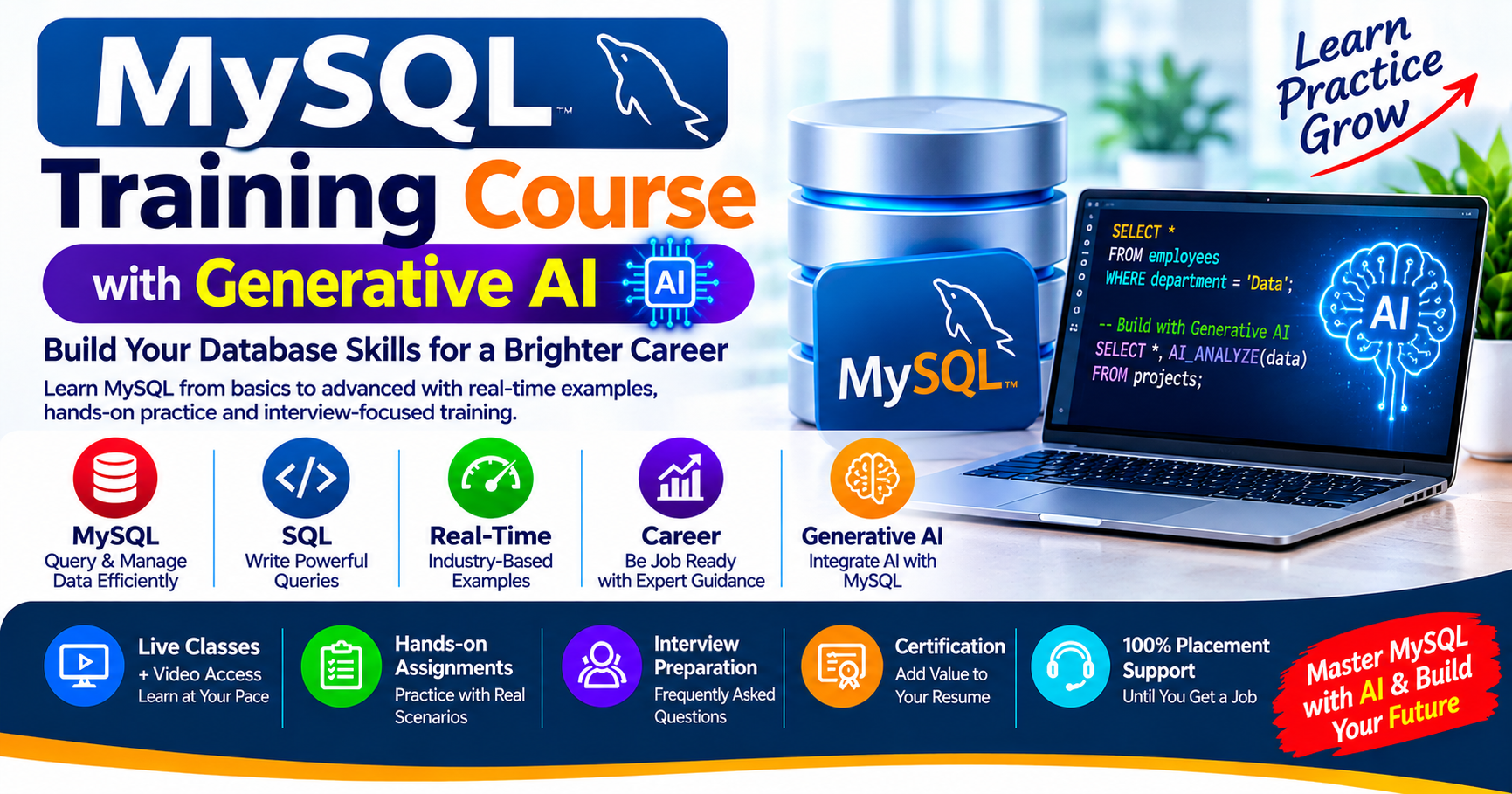
Online MySQL & Generative AI Training Course
Fee Structure & Limited Offers: 1.5 Months
Note for Students: The Complete Course Syllabus & Certificate are identical across all options. Only the batch mode and pricing differ.
Group Online Fee You Save ₹7,000
₹7,000 ₹14,000
Classroom Fee You Save ₹14,000
₹14,000 ₹28,000
One-to-One Online You Save ₹14,000
₹14,000 ₹28,000

Share Course:

Accredited & Recognized Excellence

MCA Government of India Logo
ISO 9001:2015 Certification Logo
MCA Government of India Logo
ISO 9001:2015 Certification Logo

Program Key Benefits

Master Skills: Industry-relevant skills with hands-on training from top corporate professionals.
Eligibility: Open to Any Graduates and individuals with Career Gaps.
Expert Trainers: Led by Mr. Siva / Mr. Mani (15+ Yrs experience), successfully completing 60+ batches.
Program Duration: Comprehensive 1.5 Months training schedule.
Lifetime Access: Class Recorded Videos provided for lifetime review.
Doubt Clarification: Support via Live Classes, WhatsApp, and LMS.
Assessments: Regular Interview Questions and Code Assessments included.
Career Support: Resume Preparation, LinkedIn Profile Creation.
Certificates: Free Training Completion Certificate (Soft Copy) provided.
One-on-One Demo: Get Personalized Training & Clarifications before getting started.

Tools & Technologies Covered

Introduction to Data & Databases Introduction to MySQL MySQL Database Operations MySQL Data Types SQL Commands – DDL, DML, DQL, DCL & TCL Creating & Managing Tables Constraints in MySQL SQL Operators & Filtering MySQL Functions GROUP BY & HAVING SQL Joins Subqueries Views in MySQL Indexes in MySQL Stored Procedures Stored Functions Triggers in MySQL MySQL User Management & Security SQL Transactions & Database Management Generative AI Fundamentals for MySQL AI-Powered SQL Development & Query Optimization Building AI-Powered Applications with MySQL AI-Assisted Database Documentation & Administration Real-Time Projects & Practical Exercises SQL & MySQL Interview Preparation ChatGPT Gemini Copilot

Complete Course Syllabus

  • • What is Data?
  • • Raw Data vs Information
  • • Facts, Figures, Numbers, Text, Images and Videos
  • • Data Processing and Data Organization
  • • Real-Time Examples of Data
  • • What is a Database?
  • • Database Components and Characteristics
  • • Database Management Systems (DBMS)
  • • History and Evolution of Databases
  • • Relational Database Model – Edgar F. Codd
  • • SQL vs NoSQL Databases
  • • Types of Databases:
  • – Hierarchical Database
  • – Network Database
  • – Relational Database (RDBMS)
  • – NoSQL Database
  • • Cloud Databases

  • • What is MySQL?
  • • History of MySQL
  • • MySQL Development and Ownership
  • • MySQL Community vs Enterprise Edition
  • • Features and Advantages of MySQL
  • • MySQL Installation and Configuration
  • • Starting and Stopping MySQL Services
  • • MySQL Workbench / MySQL Command Line
  • • Checking MySQL Version
  • • Database Environments: DEV, QA and PROD

  • • Creating Databases – CREATE DATABASE
  • • Displaying Databases – SHOW DATABASES
  • • Selecting Databases – USE
  • • Verifying Current Database – SELECT DATABASE()
  • • Modifying Database Properties – ALTER DATABASE
  • • Deleting Databases – DROP DATABASE
  • • Character Sets – utf8mb4
  • • Collation and Case Sensitivity
  • • Database Naming Conventions

  • • Introduction to Data Types
  • • Numeric Data Types:
  • – TINYINT, SMALLINT, INT, BIGINT
  • – DECIMAL, FLOAT
  • • String Data Types:
  • – CHAR, VARCHAR, TEXT
  • • Date & Time Data Types:
  • – DATE, TIME, YEAR, DATETIME, TIMESTAMP
  • • BOOLEAN Data Type
  • • ENUM and SET
  • • BLOB Data Type
  • • Bit, Byte, KB, MB, GB and TB
  • • Choosing Appropriate Data Types
  • • Practical Table Creation Exercises

  • • Introduction to SQL Commands
  • • Database Objects: Tables, Views, Indexes, Procedures, Functions and Triggers
  • DDL – Data Definition Language
  • – CREATE, ALTER, DROP, TRUNCATE, RENAME
  • DML – Data Manipulation Language
  • – INSERT, UPDATE, DELETE
  • DQL – Data Query Language
  • – SELECT
  • – Selecting Specific Columns
  • – Column Aliases
  • DCL – Data Control Language
  • – GRANT, REVOKE
  • TCL – Transaction Control Language
  • – COMMIT, ROLLBACK, SAVEPOINT

  • • CREATE TABLE
  • • SHOW TABLES
  • • DESCRIBE / DESC
  • • ALTER TABLE
  • • ADD, MODIFY and DROP Columns
  • • RENAME TABLE
  • • TRUNCATE TABLE
  • • DROP TABLE
  • • AUTO_INCREMENT
  • • INSERT Single and Multiple Records
  • • UPDATE Existing Records
  • • DELETE Records
  • • Handling NULL and NOT NULL Values

  • • What are Constraints?
  • • NOT NULL Constraint
  • • UNIQUE Constraint
  • • PRIMARY KEY
  • • FOREIGN KEY
  • • CHECK Constraint
  • • DEFAULT Constraint
  • • AUTO_INCREMENT
  • • Composite Primary Keys
  • • Primary Key vs Unique Key
  • • Referential Integrity

  • • Arithmetic Operators
  • • Comparison Operators
  • • Logical Operators (AND, OR, NOT)
  • • Assignment Operators
  • • BETWEEN Operator
  • • IN and NOT IN
  • • LIKE and NOT LIKE
  • • IS NULL and IS NOT NULL
  • • DISTINCT
  • • WHERE Clause
  • • ORDER BY – ASC and DESC
  • • LIMIT and OFFSET
  • • Column Aliases

  • String Functions
  • – LENGTH()
  • – UPPER() and LOWER()
  • – CONCAT()
  • – SUBSTRING()
  • – REPLACE()
  • – TRIM()
  • – LEFT() and RIGHT()
  • Numeric Functions
  • – ABS(), ROUND(), CEIL(), FLOOR()
  • – MOD(), POWER()
  • Date & Time Functions
  • – NOW(), CURDATE(), CURTIME()
  • – DATE(), YEAR(), MONTH(), DAY()
  • – DATEDIFF(), DATE_FORMAT()
  • Aggregate Functions
  • – COUNT(), SUM(), AVG(), MIN(), MAX()
  • Other Functions
  • – IF(), IFNULL(), COALESCE()
  • – CASE WHEN

  • • Introduction to GROUP BY
  • • Grouping Records
  • • GROUP BY with COUNT()
  • • GROUP BY with SUM()
  • • GROUP BY with AVG()
  • • GROUP BY with MIN() and MAX()
  • • HAVING Clause
  • • WHERE vs HAVING
  • • ORDER BY with GROUP BY
  • • Real-Time Business Reporting Queries

  • • Introduction to Joins
  • • Understanding Primary and Foreign Key Relationships
  • • INNER JOIN
  • • LEFT JOIN
  • • RIGHT JOIN
  • • CROSS JOIN
  • • SELF JOIN
  • • Multiple Table Joins
  • • Joining Three or More Tables
  • • JOIN with WHERE
  • • JOIN with GROUP BY
  • • JOIN with HAVING
  • • Employee and Manager Relationships
  • • Customer, Account and Branch Relationships
  • • Banking Transaction Reports
  • • Finding Customers Without Loans

  • • Introduction to Subqueries
  • • Single-Row Subqueries
  • • Multiple-Row Subqueries
  • • Subqueries with IN and NOT IN
  • • Subqueries with EXISTS and NOT EXISTS
  • • Correlated Subqueries
  • • Subqueries in SELECT
  • • Subqueries in FROM
  • • Derived Tables
  • • Nested Subqueries
  • • Subqueries with Aggregate Functions
  • • Real-Time Employee Salary Analysis

  • • What is a View?
  • • Creating Views
  • • Retrieving Data Through Views
  • • Views with WHERE Conditions
  • • Views with JOIN
  • • Views with GROUP BY
  • • Updating Data Through Views
  • • Inserting Data Through Views
  • • Deleting Data Through Views
  • • WITH CHECK OPTION
  • • CREATE OR REPLACE VIEW
  • • ALTER VIEW
  • • SHOW CREATE VIEW
  • • DROP VIEW

  • • What is an Index?
  • • How Indexes Work
  • • Advantages and Disadvantages of Indexes
  • • Creating Indexes
  • • Single-Column Index
  • • Composite Index
  • • UNIQUE Index
  • • Primary Key vs Unique Index
  • • Indexing for WHERE Conditions
  • • Indexing for JOIN Operations
  • • DROP INDEX
  • • EXPLAIN Query Execution Plan
  • • EXPLAIN FORMAT=TREE
  • • Query Performance Optimization

  • • Introduction to Stored Procedures
  • • Creating Stored Procedures
  • • DELIMITER
  • • Executing Procedures using CALL
  • • Procedures Without Parameters
  • • IN Parameters
  • • OUT Parameters
  • • INOUT Parameters
  • • Multiple Parameters
  • • IF Conditions
  • • CASE Statements
  • • Loops and Control Statements
  • • Variables and DECLARE
  • • Stored Procedure with SELECT
  • • Stored Procedure with INSERT, UPDATE and DELETE
  • • Managing and Dropping Procedures

  • • What is a Stored Function?
  • • Stored Procedure vs Stored Function
  • • CREATE FUNCTION
  • • RETURN Statement
  • • Parameters and Return Types
  • • Local Variables
  • • DECLARE and SET
  • • DETERMINISTIC Functions
  • • Functions with Calculations
  • • Functions Accessing Table Data
  • • SHOW FUNCTION STATUS
  • • SHOW CREATE FUNCTION
  • • DROP FUNCTION

  • • What is a Trigger?
  • • Advantages of Triggers
  • • BEFORE INSERT
  • • AFTER INSERT
  • • BEFORE UPDATE
  • • AFTER UPDATE
  • • BEFORE DELETE
  • • AFTER DELETE
  • • Understanding OLD and NEW
  • • Trigger with IF Conditions
  • • Salary Validation Using Triggers
  • • Employee Audit Log
  • • Automatically Recording Employee Changes
  • • Creating and Managing Triggers

  • • Creating Database Users
  • • Understanding Usernames and Hosts
  • • CREATE USER
  • • SHOW USERS / Inspecting User Accounts
  • • GRANT Permissions
  • • REVOKE Permissions
  • • SELECT Privileges
  • • INSERT Privileges
  • • UPDATE Privileges
  • • DELETE Privileges
  • • GRANT ALL PRIVILEGES
  • • User-Level Access Management
  • • Admin, Faculty and Student Access Examples

  • • Transaction Concepts
  • • COMMIT
  • • ROLLBACK
  • • SAVEPOINT
  • • ACID Properties
  • • Database Backup
  • • Database Restore
  • • Data Recovery Concepts
  • • Database Security
  • • Managing Multiple Database Users

  • • Introduction to Artificial Intelligence (AI)
  • • Introduction to Generative AI
  • • Understanding Large Language Models (LLMs)
  • • How LLMs Understand Natural Language and Generate Responses
  • • Introduction to ChatGPT, Google Gemini and Claude
  • • AI Assistants for Database Developers
  • • Introduction to Prompt Engineering
  • • Writing Effective Prompts for MySQL Tasks
  • • Asking AI to Explain Database Concepts
  • • Generating SQL Queries from Natural Language
  • • Understanding AI-Generated SQL Statements
  • • Generating Sample Database Schemas with AI
  • • Generating Sample and Dummy Data with AI
  • • AI-Assisted SQL Learning and Practice
  • • Limitations and Risks of AI-Generated SQL
  • • Responsible AI Usage and Database Privacy

  • • Natural Language to SQL (Text-to-SQL)
  • • Converting Business Questions into MySQL Queries
  • • Generating SELECT, INSERT, UPDATE and DELETE Queries Using AI
  • • Generating Complex JOIN Queries Using AI
  • • Generating Subqueries, CTEs and Aggregate Queries
  • • AI-Assisted Stored Procedure and Function Generation
  • • AI-Assisted Trigger Development
  • • Explaining Complex SQL Queries Using AI
  • • Debugging SQL Syntax and Logical Errors with AI
  • • Understanding MySQL Error Messages with AI
  • • AI-Assisted Query Refactoring
  • • Query Optimization Suggestions Using AI
  • • Understanding EXPLAIN Output with AI Assistance
  • • Indexing Recommendations and Performance Analysis
  • • Comparing Original and AI-Optimized Queries
  • • Validating AI-Generated SQL Before Execution

  • • Introduction to AI-Powered Database Applications
  • • Understanding LLM API Integration
  • • Connecting AI Applications to MySQL Databases
  • • Introduction to Python and MySQL Connectivity
  • • Connecting Python Applications with MySQL
  • • Using AI APIs with MySQL-Based Applications
  • • Passing Database Schema Information to LLMs
  • • Generating SQL from User Questions Using LLMs
  • • Executing AI-Generated SQL with Validation
  • • Handling SQL Errors and AI Responses
  • • Creating a Natural Language Database Query Interface
  • • Building an AI-Powered MySQL Query Assistant
  • • Summarizing MySQL Query Results Using AI
  • • Database Access Controls and Secure Query Execution
  • • Handling Sensitive Data and API Keys Securely

  • • Generating Database Documentation Using AI
  • • Explaining Tables, Columns and Relationships with AI
  • • Generating ER Diagram Descriptions from Database Schemas
  • • AI-Assisted SQL Code Documentation
  • • Generating Stored Procedure Documentation
  • • Generating Data Dictionary Descriptions
  • • AI-Assisted Test Data and Test Case Generation
  • • Generating Database Validation Queries
  • • AI-Assisted Database Troubleshooting
  • • Reviewing Database Backup and Recovery Procedures
  • • Generating Database Maintenance Checklists
  • • AI-Assisted MySQL Administration Tasks

  • Hands-on Projects
  • Project 1: College Management Database
  • – Student Management
  • – Course Management
  • – Student Admissions
  • – Fee Management
  • – Student Marks and Reports
  • Project 2: Employee Management Database
  • – Employee Records
  • – Department Management
  • – Salary Management
  • – Employee Attendance
  • – Employee and Manager Reports
  • Project 3: Banking Management Database
  • – Customer Management
  • – Bank Branches
  • – Account Management
  • – Deposits and Withdrawals
  • – Banking Transactions
  • – Loan Management
  • – Customer Transaction Reports
  • Project 4: Hospital Management Database
  • – Patient Records
  • – Doctor Information
  • – Appointments
  • – Medicines
  • – Billing Management
  • Project 5: E-Commerce Database
  • – Customer Information
  • – Product Management
  • – Orders
  • – Payments
  • – Order Status
  • – Sales Reports
  • Generative AI Practical Projects
  • Project 6: AI-Powered Text-to-SQL Assistant
  • – Convert Natural Language Questions into MySQL Queries
  • – Execute Validated Queries and Display Results
  • Project 7: AI SQL Query Explainer & Debugger
  • – Explain SQL Queries in Simple Language
  • – Identify Errors and Suggest Corrections
  • Project 8: AI Database Documentation Assistant
  • – Generate Table and Column Documentation
  • – Explain Database Relationships and SQL Code
  • Project 9: AI-Powered Business Data Assistant
  • – Ask Business Questions in Natural Language
  • – Retrieve and Summarize MySQL Reports Using AI

  • • Basic SQL Interview Questions
  • • MySQL Database Interview Questions
  • • Data Types and Constraints
  • • DDL, DML, DQL, DCL and TCL
  • • SQL Joins Interview Questions
  • • Subqueries
  • • Aggregate Functions
  • • Views and Indexes
  • • Stored Procedures and Functions
  • • Triggers
  • • Real-Time SQL Query Challenges
  • • Scenario-Based Interview Questions
  • • MySQL Query Optimization Interview Questions
  • • Generative AI and Text-to-SQL Concepts
  • • AI-Assisted SQL Debugging Exercises
  • • Practical Database Problem-Solving Exercises
  • • Resume Preparation and Mock Interviews